 by TestResults
Assess the risks of every release before you write a single test case
No more gaps in your testing. No more bugs you didn't see coming.
Free forever · No credit card required
1,200+ teams using Leonidas
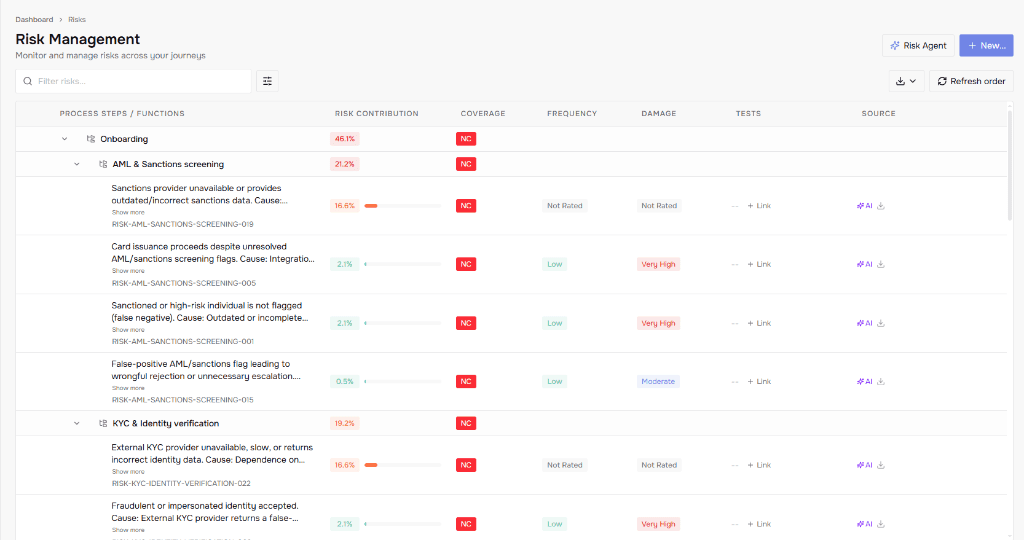
Know your risks first. Then cover them with the right test cases.
Passed, failed, not executed. None of that tells you if it's safe to ship. That's why you map your test cases to the business risk they cover. This way, you know no critical issue slips through.
Without risk-based testing
Thousands of test cases
Covers 45–50% of business risk
Lots of activity, but bugs still ship
With risk-based testing
20% of your current test cases
Covers 80%+ of business risk
Your critical processes are safe to ship, and your team isn't overwhelmed
See if your riskiest functions are actually ready to ship
Free forever. No credit card required.
HOW IT WORKS
Know where your risks lie and whether they're covered by test cases
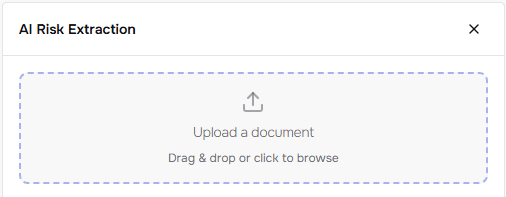
Upload your software specifications
PDF of functional specs, use cases, requirements docs, whatever your team produces.
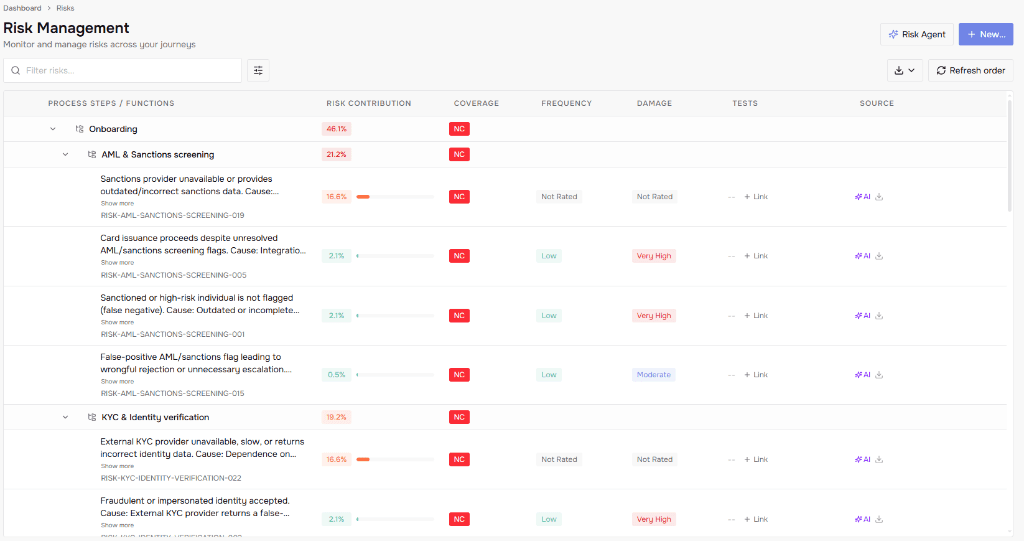
Get a weighted risk overview
It reads the spec, pulls out every risk, and ranks them by how likely they are and how much damage they'd cause.
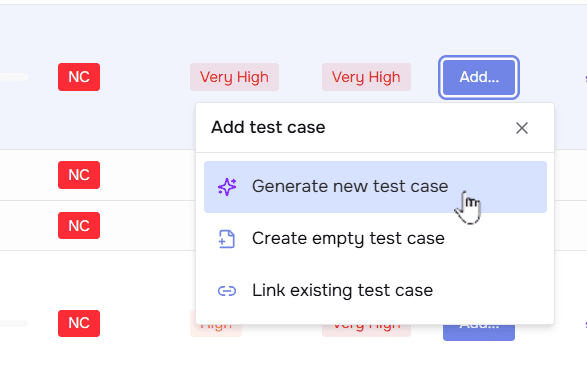
Pick a risk and generate a test case to mitigate it
Leonidas helps you create a step-by-step test case plan. Pick a risk, click generate, and get a test case based on your specs, release notes, and any other documents you give it.
Map your test cases to the identified risks
And shift from test coverage to business risk coverage
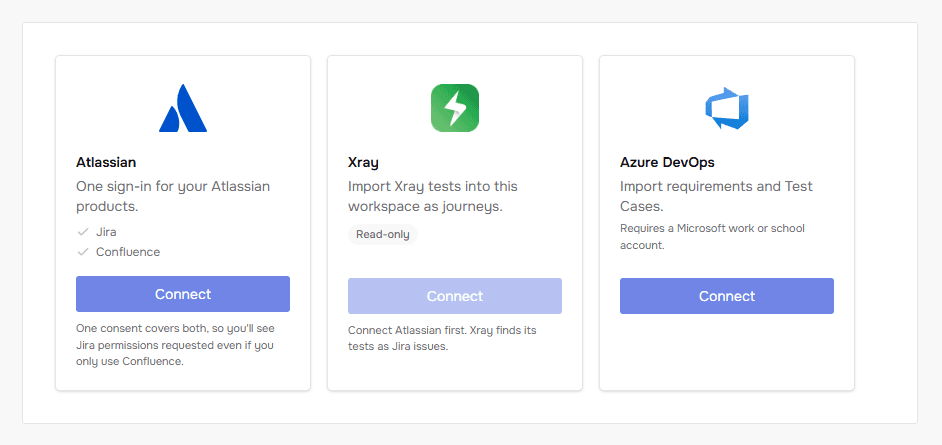
Upload your test cases or integrate Jira, Xray or Azure DevOps to map them to the identified risks. See which risks aren't covered yet, and which test cases don't add anything to your risk coverage.
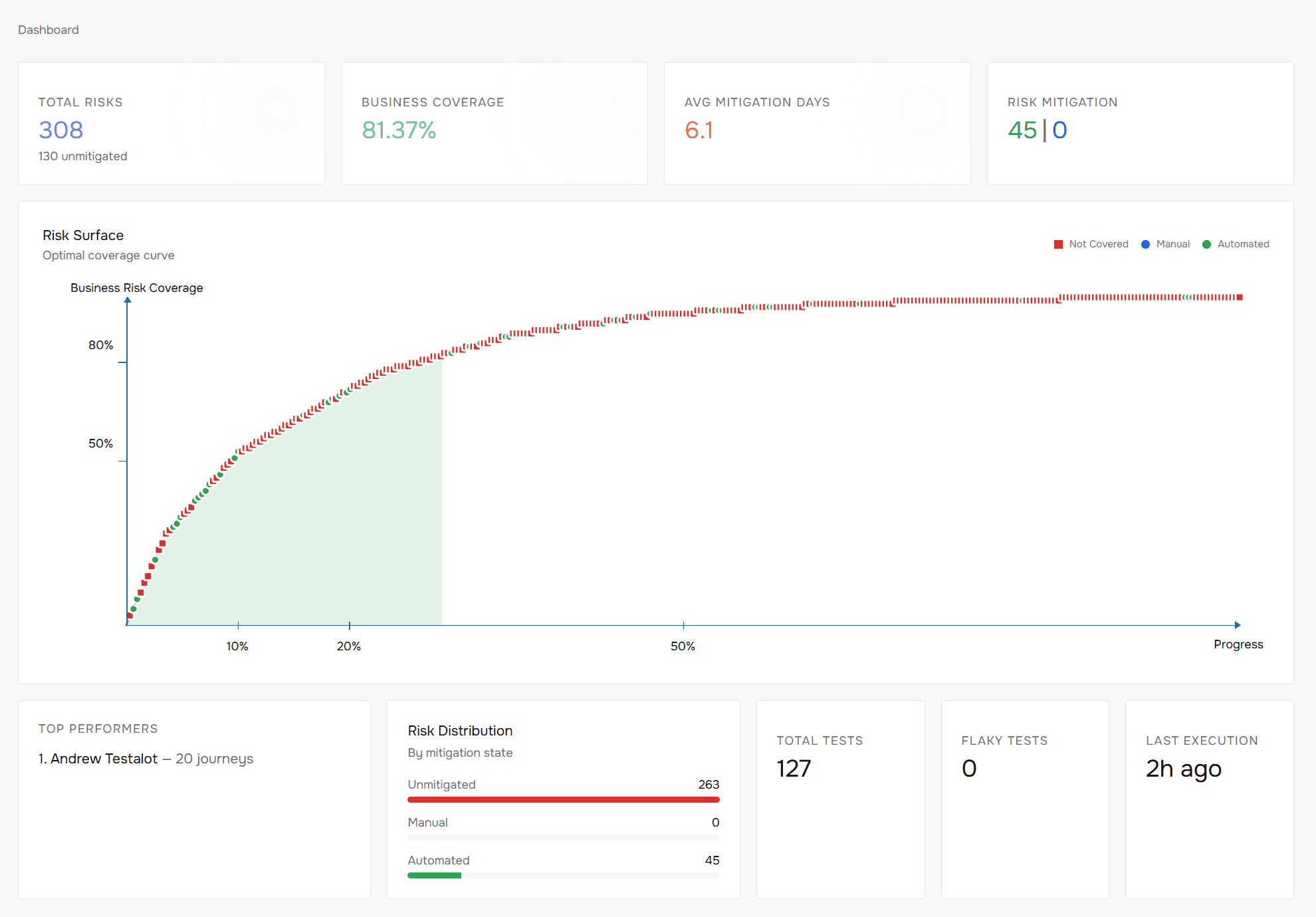
Risk coverage is the metric that tells you whether it's really safe to release. A green dashboard never will.
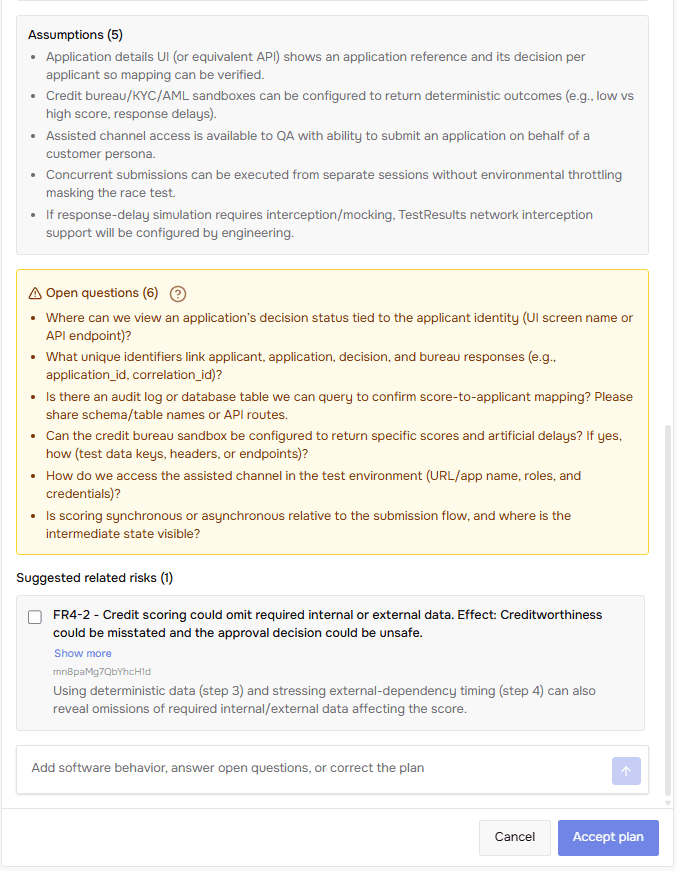
No spec answers every question
Every generated test case comes with two things: what Leonidas assumed, and what's still unclear in the spec.
Clear these with product and engineering before development starts. Feed the answers back, and Leonidas remembers them, even after people leave the company.
Know your risk before you ship
Every project gets a risk score. One glance tells you which releases are safe and which need a closer look. Every step is tracked with screenshots, so you can see exactly what happened.
“Why haven't you automated more?”
That's the question after every production bug. But the real question is why it slipped through with thousands of tests already run.
Risk coverage fixes that. Get your functions scored on damage and frequency, and you catch issues before they ship, not after.
That's the difference between reporting what you did (number of test cases) and reporting what you prevented.
And nobody asks you to just automate more again.